Last Updated: October 1, 2026
Building a smart home for beginners starts with one decision: pick a single ecosystem before you buy a single device. A smart home ecosystem is the app and platform that connects your devices, runs your automation routines, and decides what happens when you say “goodnight.” Choose it first, and every later purchase gets easier.
The three mainstream routes each behave differently:
That is why the hub matters. A smart hub is the in-home brain that talks to your devices over low-power wireless protocols and keeps routines running when the internet drops. Some ecosystems build the hub into a speaker; others sell it separately. Either way, buy the hub before the peripherals.
Your smart home is only as stable as the network underneath it. Most beginner frustration, devices dropping offline, delayed voice commands, unresponsive plugs, traces back to weak Wi-Fi rather than faulty hardware.
Two network upgrades fix the majority of it:
Then there is the wireless protocol question. Interoperability used to be the industry’s biggest headache, and the Matter standard, backed by major platform makers, now lets compatible devices work across ecosystems. Thread is a low-power mesh protocol built for battery devices like sensors and locks. If you are buying today, look for the Matter logo on the box. It is the closest thing to future-proofing a beginner can get.
A common mistake is chasing the fastest protocol instead of the most compatible one. Latency on a well-configured Thread or Zigbee network is imperceptible for lights and locks. Speed only matters for cameras.
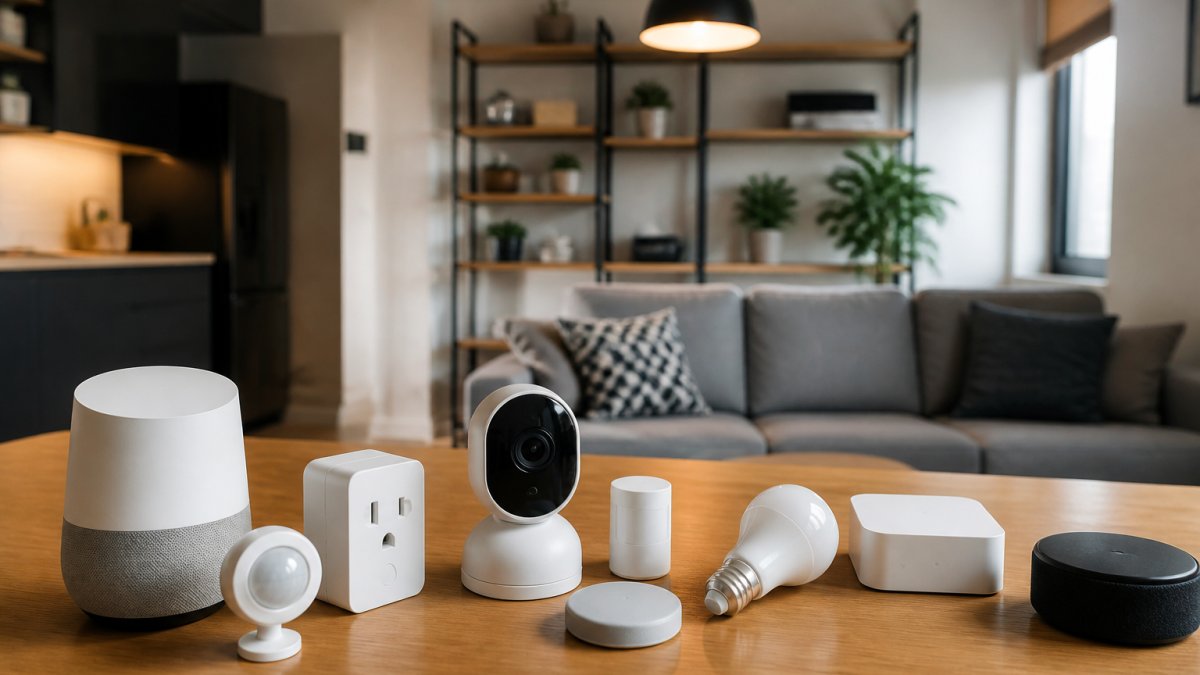
The best smart home starter kit for a beginner bundles a hub, two or three lights, a smart plug, and at least one sensor from a single ecosystem. Buying a kit instead of individual devices usually saves money and, more importantly, guarantees the pieces already speak the same language out of the box.
Before you compare kits, understand what you are actually buying. A kit is really three things stacked together:
If any one of those three is weak, the kit will frustrate you within a month, no matter how good the hardware looks on paper.
| Kit Type | Typical Contents | Best For | Watch Out For |
|---|---|---|---|
| Voice-first kit | Smart speaker + 2 bulbs + smart plug | Renters, single-room setups, first-time buyers | Speaker doubles as the hub, so sensor and lock support is limited |
| Security-first kit | Hub + door/window sensor + indoor camera + siren | Apartments, entryways, renters who want alerts | Camera cloud storage often requires a monthly subscription |
| Whole-home kit | Hub + bulbs + plugs + motion sensor + thermostat | Homeowners building room by room | Highest upfront cost; thermostat may need a C-wire |
A kit gets you running in an afternoon. What determines whether it still works for you in three years is the ecosystem’s device compatibility list, not the kit contents. Before you buy, open the manufacturer’s compatibility page and search for three devices you might want later: a smart lock, a video doorbell, and a thermostat. If all three appear, the ecosystem can grow with you. If only one does, you are buying a starter kit that will become a dead end.
Subscribe for exclusive deals! →
A practical rule most beginners learn the hard way: spend less on the kit and more on the ecosystem. The kit is disposable. The ecosystem is the decision you live with.
Start with lighting, plugs, and sensors, in that order. They are the cheapest devices, the easiest to install, and the ones that deliver the most daily value.

Smart lighting is the beginner’s entry point. Swap a standard bulb for a smart bulb, pair it in the app, and you have dimming and scheduling without an electrician. Smart switches, which replace the wall unit, cost more but keep working when someone flips the physical switch, a frequent failure point with bulbs.
Smart home security best practices begin with the network, not the camera. Before you mount anything, secure the foundation:
The highest-return smart tech for home offices is boring: lighting, a smart plug, and a thermostat. These three control the environmental factors that actually affect focus, and they cost a fraction of a standing desk.
A smart home is not a one-time project. Devices need firmware updates, apps need reviewing, and routines need adjusting as your habits change. Budget fifteen minutes a month and nothing will surprise you.
A simple maintenance checklist:
Costs vary based on how many rooms you automate and which brands you choose. A basic setup with a smart speaker, two smart plugs, and a few smart bulbs can be a cost-effective starting point. Adding a hub, security camera, and smart thermostat increases the total. Klarityn’s curated marketplace offers premium smart home products with free US shipping, and pricing depends on the specific devices you select. Check the website for current prices and bundle deals.
Not always. Many smart devices connect directly to your Wi-Fi network and work through a phone app without a hub. However, a hub becomes useful when you want devices from different brands to work together reliably, especially if you use Zigbee or Z-Wave devices. Matter and Thread are making hubs less critical, but for a cohesive smart home ecosystem with automation routines that run locally, a hub is still a smart investment.
Start by changing default passwords on every device and router. Enable two-factor authentication where available. Keep firmware updated, since manufacturers patch security flaws regularly. Create a separate Wi-Fi network for IoT devices to limit exposure. Check privacy settings in each app and disable data sharing you don’t need. For security cameras, choose models with local storage or encryption. These smart home security best practices reduce risk without adding complexity.
Some functions work without internet, but most cloud-based smart devices need a connection for remote access and voice commands. Local control options like Matter and Thread allow certain devices to communicate directly, so basic automation routines still run if the internet goes down. For critical devices like security cameras, look for models with local storage. A hub with local processing helps maintain functionality during outages.